Virgin Games App UK: iPhone, Android and Mobile Casino
 Available in GB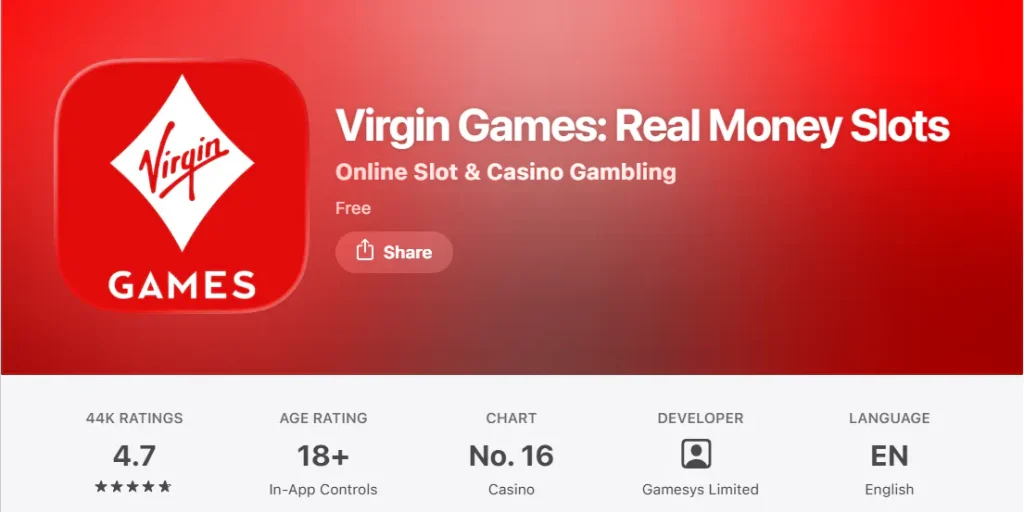
Virgin Games has official mobile apps for both iPhone and Android users in the UK, and you do not need an app simply to access the casino from a phone. The current Virgin Games mobile service also supports mobile-browser play, so the practical choice is between installing the official app and using the website in your browser. The safest route is to use the recognised UK App Store or Google Play listing, or reach the mobile site directly, rather than downloading an APK or installer from an unrelated website.
The app is designed to give access to the same broad casino experience available on the main service, including slots and live casino games. If you are still setting up your account, read the Virgin Games registration guide before deciding whether to install anything.
Table of Contents
- Is there an official Virgin Games iPhone app?
- Is there a Virgin Games Android app?
- Do you actually need the app to play on mobile?
- What games are available on mobile?
- App versus browser: a practical comparison
- How to recognise the legitimate app route
- Mobile play still needs the same account discipline
- Use the official mobile route rather than treating app stores as a shortcut
- Choosing the Virgin Games app or browser on a UK mobile
- Recommend
Is there an official Virgin Games iPhone app?
Yes. Virgin Games has a dedicated iOS app in the UK App Store. The current listing identifies the product as “Virgin Games: Real Money Slots” and shows Gamesys Limited as the developer. The listing is rated for adults and is available for iPhone and iPad.
For an iPhone or iPad user, the most important check is identity rather than promises about speed or bonuses. Open the UK App Store yourself, verify that the listing is the official Virgin Games product, and avoid lookalike download pages. A genuine store listing gives you a clearer chain of custody for installation and updates than a file offered by an unrelated site.
The app listing describes access to slots, casino classics and live dealer tables. For a fuller look at what those categories contain, use the separate Virgin Games games guide rather than treating the app page as a substitute for the catalogue.
For the wider context, return to the Virgin Games review.
Is there a Virgin Games Android app?
Yes. Virgin Games also provides an Android app, with the official mobile page directing Android users to the mobile application route. The important distinction is between an official Android app and a third-party APK download. This guide does not provide sideloading instructions because an APK from an unaffiliated source is harder to verify and can create an avoidable security risk.
If you want the Android app, start from the official Virgin Games mobile page or the recognised Google Play listing rather than searching for a standalone installation file. That reduces the chance of installing software that only imitates the brand. It also keeps updates within the normal app-store process.
For the wider casino library, see Virgin Games games.
Do you actually need the app to play on mobile?
No. Virgin Games describes its service as available across desktop, tablet and mobile as well as through iOS and Android apps. That means a UK player can use a mobile browser without treating the app as mandatory.
The browser route can be the simpler option when you do not want another app installed, you switch between devices, or you prefer to access the service from a normal saved bookmark. The app route can be more convenient if you want a dedicated icon and an app-store-managed installation. Those are process differences, not evidence that one option produces better game outcomes, faster withdrawals or preferential treatment.
Use whichever access method makes it easiest for you to recognise the genuine service and manage your account deliberately. If you regularly clear browser data, change phones or use several devices, account credentials and verification status matter more than whether you entered through an app icon or a browser tab.
For dealer-led tables, see Virgin Games live casino.
What games are available on mobile?
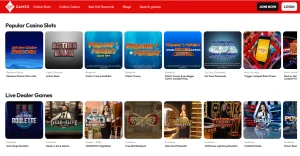
Virgin Games currently promotes a catalogue of more than 1,000 slots on its UK slots page and also offers a separate live casino area. The official mobile page says the app carries the same games available through Virgin Games rather than a deliberately reduced mobile-only selection.
That makes the app useful as an access layer, but it does not remove the need to compare games by type. Slots, live dealer tables and other casino formats have different rules, pace and interaction. Start with the casino games guide for the overall catalogue, then use the Virgin Games live casino guide if dealer-streamed blackjack, roulette or game-show formats are what you actually want to understand.
A mobile screen also changes how information is presented. Before starting a game, open its rules and paytable rather than assuming a familiar title behaves identically to another version. The smaller display is a reason to be more deliberate about reading game information, not a reason to rely on a category label alone.
App versus browser: a practical comparison
| Question | Official app | Mobile browser |
|---|---|---|
| Installation | Requires an app-store install | No separate installation |
| Entry point | Dedicated app icon | Browser address or bookmark |
| Game access | Official mobile page says the full game range is available | Virgin Games supports mobile web access |
| Updates | Handled through the relevant app store | Website changes load through the browser |
| Safety check | Verify the official store listing and developer | Verify the genuine Virgin Games web address |
Neither route should be chosen on the assumption that it changes the account rules. Registration, verification, payment ownership and safer-gambling controls belong to the account, not just to the device interface. If you move from browser to app, you are still using the same player account rather than creating a special mobile identity.
How to recognise the legitimate app route
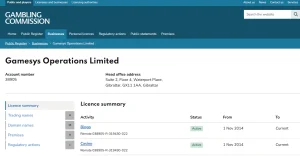
A legitimate mobile route should connect clearly back to Virgin Games and an established app marketplace. On iOS, the UK App Store currently shows the official listing and identifies Gamesys Limited as developer. On Android, use the official Virgin Games mobile page or the recognised Google Play route it provides.
Be cautious with pages that ask you to download a file directly, claim that an unofficial build unlocks extra games, or present a modified app as necessary for UK access. Those claims do not match the official Virgin Games app and browser routes described above. There is no need to create an unofficial installation path when official app and browser options already exist.
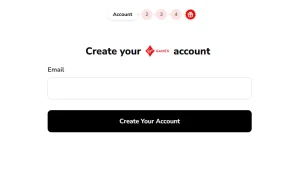
This safety check is particularly useful on a new phone. Confirm the brand and store listing first, then sign in or create an account. If you are a new user, the account setup guide explains the registration order, verification and first-deposit considerations separately.
Mobile play still needs the same account discipline
The convenience of a phone can make casino access feel immediate, but the account still deserves the same checks you would make on desktop. Decide how much you intend to spend before depositing, know where the safer-gambling controls sit, and avoid treating notifications or a home-screen icon as a reason to play more often than planned.
Virgin Games provides account tools including spend limits, session reminders, cool-off and self-exclusion options. Those controls are more important to a sustainable mobile setup than cosmetic differences between app and browser. A useful mobile configuration is one that gives you convenient access without removing deliberate stopping points.
For sign-up steps, see Virgin Games registration.
Use the official mobile route rather than treating app stores as a shortcut
Virgin Games provides dedicated iPhone and Android app routes, but the browser remains a practical alternative when you do not want to install software. The important point is that mobile access should begin from the official Virgin Games site or the official store listing reached from it. Searching by brand name alone can surface similarly named products, so checking the publisher and the destination before signing in is a basic account-safety step.
The mobile experience is tied to the same account rather than creating a separate casino profile. That means verification, payment history and account controls continue to matter when you switch devices. It also means the choice between app and browser is mostly about convenience: installation, updates, storage and how you prefer to launch the service. The underlying game categories include the same broad slot and live-casino areas described elsewhere in this guide, although individual titles and tables can change.
Before using a phone for deposits or withdrawals, make sure the device and browser or app are up to date and that you are signing in through the legitimate service. Mobile convenience is useful, but it should not encourage rushed account or cashier decisions. The same deposit, withdrawal and safer-gambling checks apply regardless of screen size.
Choosing the Virgin Games app or browser on a UK mobile
For UK users, both routes are legitimate: Virgin Games has official iOS and Android apps, and its service also supports mobile-browser access. Choose the app if you value a dedicated installation and app-store update path. Choose the browser if you prefer not to install another application or regularly move between devices.
The main safety rule is simpler than the platform comparison: use the official store listing or the genuine Virgin Games website and ignore third-party APK claims. Once you are inside the legitimate service, the more meaningful decisions concern the games you choose, your account settings and how you manage spending, not whether you entered through an app icon or a browser tab.